
Measure flooring from your phone with Nexus Measure
Use AR-assisted point capture on a supported phone or tablet to measure floors, counters, and walls, review the dimensions, and send the captured area directly into Quick Quote — without re-keying the job.
Walk the space, tap the corners, review the measurement, and save it to the job.
Capture, save, quote
Point & capture
Open the app on the jobsite and drop points around the room — the AR engine tracks the space as you move.
Get the area
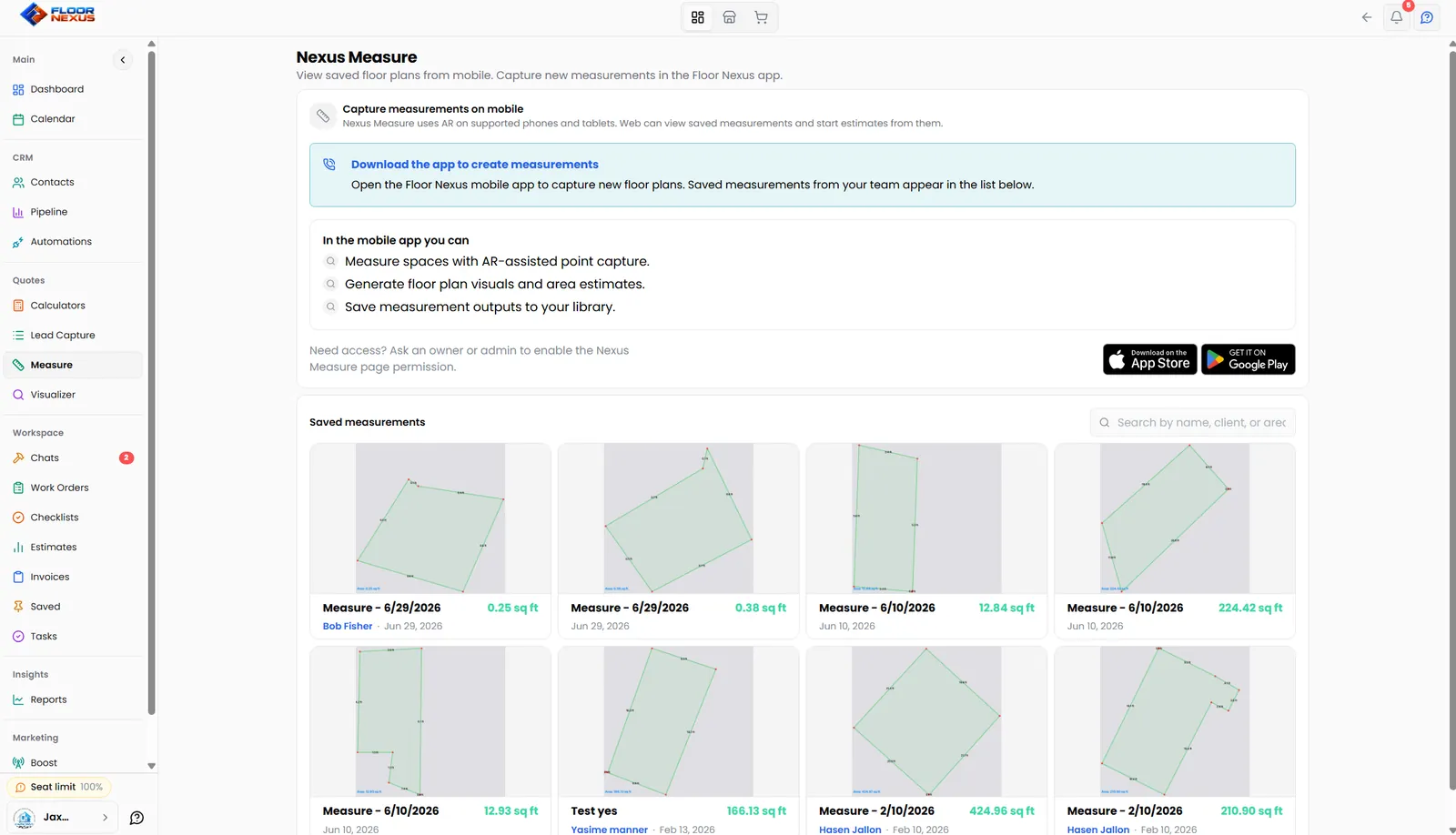
Nexus Measure calculates the captured area and saves a floor-plan diagram to the job for review.
Quote from it
Send the reviewed measurement into Quick Quote so the estimate is based on the captured project area, not an eyeball.
Let the homeowner measure before you roll a truck
Send a Nexus Measure link and the homeowner measures the space from their own phone. The rooms land in a project on your account, ready to quote.
Lead link
Share it anywhere: your website, an ad, a text. Anyone enters their details, then measures. Floor Nexus creates or matches the contact for you.
Homeowner link
Send it to an existing customer. They skip the intake and go straight to measuring their space.
Quote from home
Measurements save to the project on your account, so you can price the job in Quick Quote without a site visit.
Links stay active for 7 days after you create them, and any extra rooms are added to the same project.
Every measurement, saved to the job
Measurements taken by any crew member sync to your library and attach to the customer’s record — so the office can quote, the installer can reference, and nothing lives on a scrap of paper in a truck.
- AR‑assisted point capture on phone or tablet
- Floors, counters, walls & deep pours
- Homeowner self‑measure links
- Saved plans flow straight into estimates
Not a bolt‑on — part of the platform
"Was running QuickBooks plus Jobber — and still writing measurements on paper. Floor Nexus puts every tool I need in one app."
Nexus Measure FAQ
What do I need to use it?
How accurate is it?
Can the homeowner measure their own space?
Does it connect to estimates?
Stop measuring twice
Start your free 7 days and measure your next job from your phone.
7‑day free trial · No credit card · Cancel anytime